
SARIF Explorer is a VSCode extension that enables you to review static analysis results effectively and enjoyably.
You can install it through the VSCode marketplace and find its code in the vscode-sarif-explorer repository.
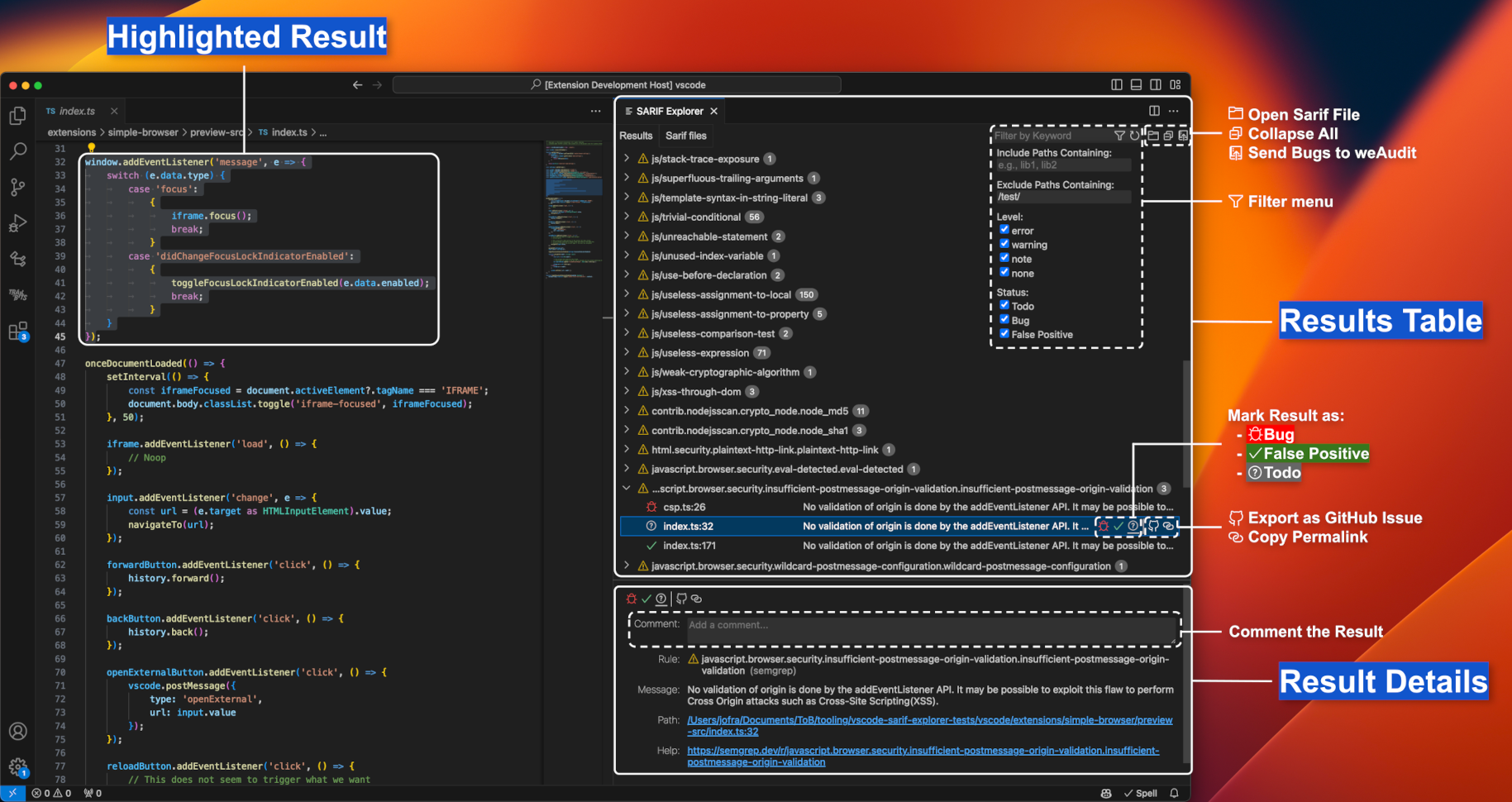
TL;DR
SARIF Explorer to provide an intuitive UI inside VSCode, with features that make this process less painful:
- Open Multiple SARIF Files: Open and browse the results of multiple SARIF files simultaneously.
- Browse Results: Browse results by clicking on them, which will open their associated location in VSCode. You can also browse a result’s dataflow steps, if present.
- Classify Results: Add metadata to each result by classifying them as a
Bug,False Positive, orTodo, and adding a custom text comment. - Filter Results: Filter results by keyword, path (to include or exclude), level (
error,warning,note, ornone), and status (Bug,False Positive, orTodo). You can also hide all results from a specific SARIF file or from a specific rule. - Copy GitHub Permalinks: Copy a GitHub permalink to the location associated with a result. Requires having weAudit installed.
- Create GitHub Issues: Create formatted GitHub issues for a specific result or for all the un-filtered results under a given rule. Requires having weAudit installed.
- Send Bugs to weAudit: Send all results classified as
Bugto weAudit (results are automatically de-duplicated). Requires having weAudit installed. - Collaborate: Share the
.sarifexplorerfile with your colleagues (e.g., on GitHub) to share your comments and classified results.
Find out more in the SARIF Explorer’s README!